

Product teams ship features nobody asked for. Marketing campaigns target audiences that don’t exist. Sales reps pitch solutions to problems users never had. The root cause traces back to a single failure: building without understanding who you’re building for.
Persona research eliminates this guesswork by transforming scattered user data into focused, actionable profiles that guide every product, design, and marketing decision. When conducted rigorously, persona research shifts organizations from assumption-based strategy to evidence-based execution.
This guide walks through the complete process of conducting persona research in 2026—from defining hypotheses to operationalizing living documents that drive measurable business outcomes. You’ll learn which research methods yield the richest insights, how many participants you actually need, how to synthesize qualitative and quantitative data using affinity mapping, and how to leverage AI tools without sacrificing authenticity.
Whether you’re creating your first personas or revitalizing outdated profiles, this framework delivers research-backed personas that teams reference daily rather than documents that collect digital dust.
What Is Persona Research? (Beyond Demographics and Stock Photos)

Persona research is the systematic process of gathering, analyzing, and synthesizing qualitative and quantitative data about your target users to create detailed, fictional representations of your key audience segments [[15]]. These representations—called personas—capture not just who your users are demographically, but why they behave the way they do, what they’re trying to accomplish, and what obstacles stand in their way.
The critical distinction separates persona research from simple customer profiling. A customer profile lists attributes: “35-year-old marketing manager in Austin.” A persona reveals motivation: “Sarah needs to demonstrate campaign ROI to her CFO by Friday, but her analytics tools require SQL knowledge she doesn’t have.”
Personas vs. Market Segments vs. User Profiles
Understanding the differences between these three concepts prevents costly strategic misalignment:
| Dimension | Market Segments | User Personas | User Profiles |
|---|---|---|---|
| Focus | Group characteristics | Individual motivations | Specific person data |
| Question answered | “Who are our customers?” | “What do our customers need?” | “What did this person do?” |
| Data type | Primarily quantitative | Mixed qualitative/quantitative | Behavioral logs |
| Use case | Targeting and positioning | Design and product decisions | Personalization |
| Example | “Enterprise SaaS buyers, $10M+ revenue” | “Budget-Conscious Brian needs approval workflows” | “User ID 48291 logged in 3x this week” |
Market segments group users by shared demographics or behaviors for targeting purposes [[15]]. User personas represent specific individuals within those segments, focusing on the “why” behind behaviors—their goals, frustrations, and decision-making processes. User profiles capture actual behavioral data for individual users, often powering personalization engines.
Segments tell you the “what.” Personas tell you the “why.” Profiles tell you the “who specifically.”
Proto-Personas vs. Data-Driven Personas
Before diving into research, understand the spectrum of persona fidelity:
Proto-personas emerge from stakeholder assumptions and existing knowledge rather than fresh research [[40]]. They function as hypotheses—”We believe our primary user is X, with goals Y and frustrations Z.” Proto-personas accelerate alignment at project kickoff but carry significant risk if treated as truth.
Data-driven personas result from rigorous research: interviews, surveys, analytics review, and behavioral observation. They replace assumptions with evidence, revealing patterns stakeholders never anticipated.
The most effective approach combines both: start with proto-personas to focus your research questions, then validate or invalidate them through systematic data collection [[44]]. This prevents the paralysis of blank-slate research while maintaining scientific rigor.
Why Persona Research Delivers Measurable ROI
Persona research isn’t an academic exercise—it’s a business imperative with quantifiable returns. Organizations using research-backed personas report:
- 2x faster product decision-making because teams evaluate features against concrete user needs rather than debating opinions
- 30% higher feature adoption when designs align with actual user mental models and workflows
- Reduced development waste by eliminating features built for imaginary users
- Improved stakeholder alignment through a shared language for discussing user needs
Content marketing generates an average 3:1 ROI, meaning $3 returned for every dollar invested [[3]]. Persona research amplifies this return by ensuring content addresses real user questions in the language users actually speak. When marketing messages resonate with documented persona frustrations, conversion rates climb because you’re solving recognized problems rather than pitching hypothetical benefits.
For UX teams, personas transform design reviews from subjective debates (“I don’t like that button color”) to objective evaluations (“Would this help Sarah complete her task faster?”). This shift reduces revision cycles and accelerates time-to-market.
When Should You Conduct Persona Research?

Persona research delivers maximum value when timed strategically throughout the product lifecycle. It’s not a one-time activity completed during initial discovery and forgotten. The most successful teams treat persona research as a recurring practice triggered by specific signals.
The 3 Critical Trigger Points
1. Product Discovery and Project Kickoff
Starting a new product or major feature without persona research is like navigating unfamiliar terrain without a map. You might eventually reach your destination, but you’ll waste resources on wrong turns and dead ends.
Conduct persona research before writing product requirements, designing interfaces, or crafting marketing messages. This upfront investment ensures every subsequent decision builds on a foundation of user understanding rather than internal assumptions.
At kickoff, persona research answers foundational questions: Who experiences this problem? How do they currently solve it? What would make their lives materially better? These answers shape product vision, success metrics, and go-to-market strategy.
2. Growth Plateaus and Churn Spikes
When growth stalls or churn increases, your existing personas may no longer reflect reality. Markets evolve, user expectations shift, and competitive landscapes change. Personas created two years ago might describe users who no longer exist or miss entirely new segments now driving revenue.
Signals that indicate persona refresh needs:
- Declining activation or retention rates despite product improvements
- Sales teams reporting that prospects don’t match existing persona descriptions
- Support tickets revealing new use cases or pain points not captured in current personas
- Feature adoption patterns contradicting persona-predicted behaviors
When these signals appear, conduct targeted persona research to identify what changed. Sometimes you’ll discover your personas need minor updates. Other times, you’ll uncover entirely new segments requiring fresh profiles.
3. New Market Entry or Audience Expansion
Expanding into new verticals, geographies, or customer tiers demands fresh persona research. Your existing personas reflect your current audience—they can’t predict the needs of enterprise buyers if you’ve only served SMBs, or the expectations of European users if you’ve only studied North American behavior.
Before entering new markets, conduct exploratory research to understand:
- How local users frame the problem you solve
- Which competitors they currently use and why
- What cultural or regulatory factors influence their decisions
- Which channels they trust for information and purchasing
This research prevents costly mistakes like launching messaging that resonates in one market but confuses another, or building features that address non-existent pain points in the new segment.
Ongoing Validation Cadence
Beyond these trigger points, establish a regular validation rhythm. Leading teams review personas quarterly and conduct formal refresh research every 6-12 months [[31]]. This cadence catches drift before it compounds into strategic misalignment.
Schedule persona validation alongside other recurring activities:
- Quarterly: Review personas against recent support tickets, sales call notes, and analytics trends. Flag discrepancies for deeper investigation.
- Semi-annually: Conduct lightweight validation research—5-8 interviews per persona—to confirm core motivations and frustrations still hold.
- Annually: Execute comprehensive persona refresh if signals warrant it, combining interviews, surveys, and behavioral analysis.
The 4 Pillars of Persona Research Methods (Mixed-Methods Approach)
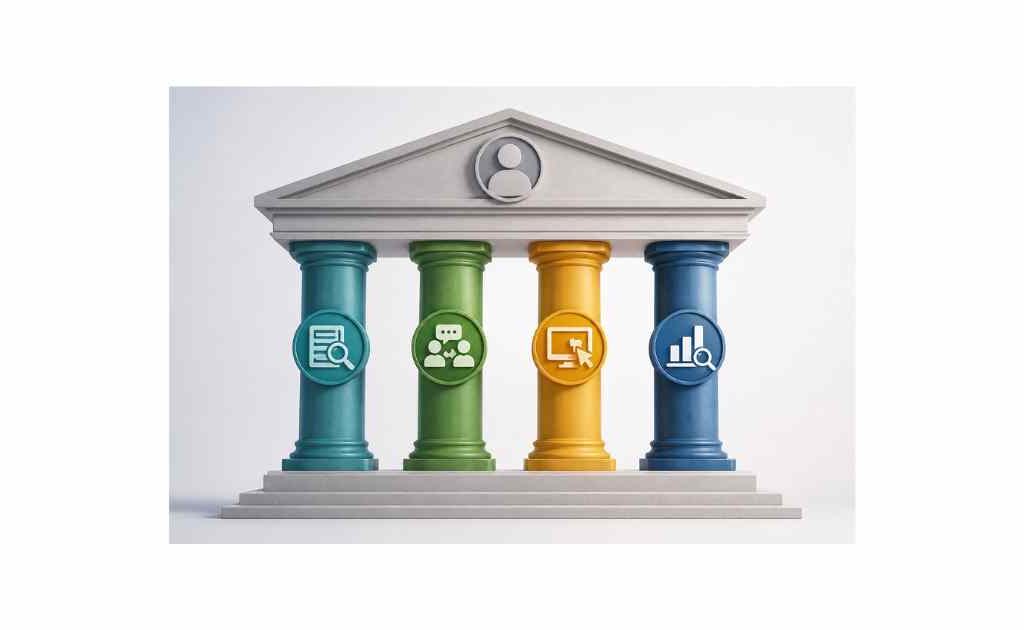
No single research method captures the complete picture of your users. Interviews reveal depth but lack scale. Surveys provide breadth but miss nuance. Analytics show behavior but not motivation. The strongest persona research combines multiple methods, triangulating insights from different data sources to build robust, validated profiles.
This mixed-methods approach follows a logical sequence: start with qualitative exploration to understand the landscape, then use quantitative methods to validate and measure patterns, and finally enrich with behavioral data to ground findings in actual usage.
Pillar 1: Qualitative Deep Dives (Understanding the “Why”)
Qualitative research uncovers the motivations, frustrations, and contexts that quantitative data alone can’t capture. These methods answer why users behave certain ways, what they’re trying to accomplish, and how they think about their problems.
User Interviews: The Foundation of Persona Research
User interviews remain the cornerstone of persona research. These one-on-one conversations reveal rich, contextual insights about user goals, workflows, pain points, and decision-making processes [[12]].
How many interviews do you need?
Sample size depends on your research goals and audience complexity:
- 5-8 interviews per segment: Minimum for exploratory research with a tightly defined audience [[15]]
- 10-15 interviews per segment: Standard range for discovery research, sufficient to identify common patterns [[15]]
- 20-30 interviews per segment: Allows for data saturation and theme validation across diverse participants [[17]]
Nielsen Norman Group research suggests that testing with 5 users reveals approximately 85% of usability issues, but persona research requires larger samples to capture the full range of motivations and behaviors within a segment [[10]]. For most teams, 10-15 interviews per target persona strikes the right balance between depth and feasibility.
Structuring effective interview questions:
Avoid yes/no questions and leading prompts that bias responses. Instead, use open-ended questions that encourage storytelling:
- “Walk me through the last time you [completed key task]. What steps did you take?”
- “What was the most frustrating part of that process?”
- “How do you currently solve [problem]? What works well? What doesn’t?”
- “If you could wave a magic wand and fix one thing about [workflow], what would it be?”
- “Who else is involved in this decision? What do they care about?”
These questions reveal actual behaviors rather than aspirational ones, uncover workarounds users have developed, and surface unmet needs users might not articulate directly.
Pro tip: Record interviews (with permission) and use AI transcription tools to generate searchable transcripts. This enables efficient synthesis later and allows team members who couldn’t attend to review key moments [[34]].
Contextual Inquiry: Observing Users in Their Natural Habitat
Contextual inquiry combines observation with interview—you watch users work in their actual environment while asking questions about their process [[15]]. This method reveals insights users can’t articulate in interviews because the knowledge is tacit, embedded in muscle memory and environmental cues.
What contextual inquiry uncovers:
- Workarounds: Sticky notes on monitors, spreadsheets tracking data the tool should capture, manual processes bridging software gaps
- Environmental factors: Noise levels, interruptions, device constraints, physical workspace limitations
- Implicit knowledge: Steps users perform automatically without thinking, shortcuts they’ve developed, information they reference constantly
Conduct contextual inquiry remotely via screen sharing or in-person depending on your audience and budget. Remote sessions work well for digital products; in-person observation excels for physical workflows or complex environments.
Diary Studies: Capturing Experiences Over Time
Diary studies ask participants to document their activities, thoughts, and frustrations over days or weeks as they occur [[15]]. This longitudinal approach reveals patterns single-session research misses: how needs vary by context, how frustrations compound over time, and how workarounds evolve.
Diary studies work particularly well for:
- Understanding habitual behaviors and routines
- Capturing emotional highs and lows throughout a journey
- Identifying triggers that prompt specific actions
- Observing how needs change across different contexts (work vs. home, busy vs. quiet periods)
Provide clear prompts to guide documentation: “Each time you use [product], note what you were trying to accomplish, how long it took, and how you felt afterward.” Use mobile-friendly tools that minimize friction—participants won’t maintain detailed journals if the process feels burdensome.
Pillar 2: Quantitative Validation (Measuring the “How Many”)
Qualitative research generates hypotheses about user motivations and behaviors. Quantitative methods test those hypotheses at scale, revealing how common certain patterns are across your broader user base.
Surveys: Validating Patterns Across Hundreds of Users
Surveys complement interviews by providing statistical validation [[15]]. Where interviews reveal depth, surveys reveal breadth—helping you understand whether the frustrations uncovered in 12 interviews affect 20% of your user base or 80%.
Designing effective persona research surveys:
- Use Likert scales to measure attitudes: “How strongly do you agree: ‘I struggle to find the information I need in my current tools'” (Strongly Disagree to Strongly Agree)
- Include ranking questions to prioritize needs: “Rank these challenges in order of impact on your daily work”
- Add demographic and firmographic questions to segment responses: role, company size, industry, experience level
- Keep surveys short (5-10 minutes max) to maintain completion rates
Distribute surveys to existing users via email, in-app prompts, or customer panels. Aim for 100-300 responses per target segment to achieve statistical significance [[15]].
Analyzing survey data for persona insights:
Look for clusters in responses. Do certain demographics consistently report the same frustrations? Do users in specific roles prioritize different goals? Cross-tabulate responses to identify patterns that become persona foundations.
Analytics Review: Grounding Personas in Actual Behavior
Behavioral analytics reveal what users actually do, complementing self-reported data about what they say they do [[15]]. People often misremember or misrepresent their behaviors in interviews and surveys—analytics provide objective truth.
Key metrics to analyze:
- Feature usage patterns: Which features do different user segments engage with most? Which go unused?
- Navigation paths: How do users move through your product? Where do they drop off?
- Session frequency and duration: How often do different segments engage? How long do typical sessions last?
- Conversion funnels: Where do different segments abandon key workflows?
Tools like Amplitude, Mixpanel, and Google Analytics enable segmentation by user attributes, allowing you to compare behavior across potential persona groups [[15]]. Look for behavioral clusters that align with or contradict your qualitative findings.
Example insight: Interviews reveal that “Enterprise Emily” values advanced reporting. Analytics confirm this—users matching Emily’s profile (large company, admin role) access reporting features 3x more frequently than other segments. This validation strengthens the persona’s credibility.
Pillar 3: Internal Knowledge Mining (Leveraging Customer-Facing Teams)
Your sales, support, and customer success teams talk to users daily. They hear objections, frustrations, and unmet needs that never surface in formal research. Mining this internal knowledge provides rich, readily available persona insights.
Sales Team Interviews
Sales reps understand buyer motivations, decision criteria, and competitive comparisons better than anyone. Interview 3-5 top performers to uncover:
- What problems do prospects mention most frequently?
- Which features drive purchasing decisions?
- What objections come up repeatedly?
- How do prospects describe their current solutions?
- Who influences buying decisions beyond the primary contact?
Support Ticket Analysis
Support tickets reveal pain points at scale. Analyze 100-200 recent tickets to identify:
- Recurring issues that frustrate users
- Features users misunderstand or can’t find
- Workarounds users request when features don’t meet needs
- Language users employ to describe problems (valuable for messaging)
Use AI tools to cluster tickets by theme, surfacing patterns faster than manual review [[34]].
Customer Success Conversations
Customer success managers understand why users churn, what drives expansion, and which capabilities deliver the most value. Ask them:
- Why do customers renew? Why do they leave?
- Which features do power users rely on most?
- What goals do customers mention when describing success?
- How do customers’ needs evolve over time?
Pillar 4: AI-Assisted Research Synthesis (The 2026 Edge)
AI tools accelerate persona research without replacing human judgment. They excel at processing large volumes of unstructured data—interview transcripts, support tickets, survey responses—and surfacing patterns humans might miss [[27]].
How AI Enhances Persona Research
Transcription and summarization: AI tools like Otter.ai and Dovetail transcribe interviews automatically and generate summaries highlighting key themes [[34]]. This saves hours of manual note-taking and enables faster synthesis.
Theme clustering: Feed AI tools hundreds of interview quotes, survey responses, or support tickets, and they’ll cluster related content into themes [[21]]. This accelerates affinity mapping (covered in detail below) and helps identify patterns across large datasets.
Synthetic personas for scenario testing: AI-generated synthetic personas simulate how different user types might respond to new features or messaging [[29]]. While these shouldn’t replace research with real users, they enable rapid hypothesis testing before investing in full studies.
Draft generation: AI can draft initial persona profiles based on synthesized research, providing a starting point for human refinement [[35]]. This accelerates the documentation phase while maintaining researcher oversight.
Responsible AI Use in Persona Research
AI augments but doesn’t replace human insight in persona research. Follow these principles:
- Never generate personas purely from AI: Synthetic personas lack the nuance and authenticity of research-backed profiles [[27]]. Use AI for synthesis and drafting, not as a substitute for user research.
- Validate AI outputs against source data: When AI clusters themes or drafts personas, verify findings against original interviews and surveys. AI can hallucinate patterns that don’t exist in the data.
- Maintain human oversight: Researchers must interpret AI outputs, apply context, and make judgment calls about which patterns matter most.
- Be transparent: Document when and how AI tools were used in your research process. This builds stakeholder confidence and enables replication.
How to Conduct Persona Research: The 7-Step Framework

This framework transforms raw data into actionable personas through a structured, repeatable process. Each step builds on the previous one, culminating in living documents that drive product, design, and marketing decisions.
Step 1: Define Your Research Hypotheses
Don’t start persona research with a blank slate. Begin by documenting what you already know—or think you know—about your users. These hypotheses focus your research and provide a baseline for validation.
Create proto-personas: Gather key stakeholders (product, design, marketing, sales, support) for a 60-90 minute workshop. For each target segment, document:
- Demographics: Age, role, company size, industry (best guesses based on existing data)
- Goals: What are they trying to accomplish? What does success look like?
- Frustrations: What obstacles block their progress? What pains do they experience?
- Behaviors: How do they currently solve this problem? What tools do they use?
- Information sources: Where do they seek advice? Who influences their decisions?
These proto-personas function as testable hypotheses: “We believe our primary user is a mid-level marketing manager at B2B SaaS companies who needs to prove campaign ROI but lacks technical analytics skills.”
Define research questions: Based on proto-personas, list specific questions your research must answer:
- Do users actually struggle with ROI measurement, or is this an internal assumption?
- Which tools do they currently use, and why haven’t those tools solved the problem?
- Who influences their purchasing decisions beyond the primary user?
- How do they prefer to consume information (videos, docs, webinars, peer recommendations)?
These questions guide your research plan, ensuring you collect data that validates or invalidates hypotheses rather than gathering information aimlessly.
Deliverable: Proto-persona documents and prioritized research questions.
Step 2: Recruit the Right Participants
Participant quality determines research quality. Recruiting convenient participants (friends, colleagues, existing power users) introduces bias that undermines persona validity. Invest in recruiting participants who accurately represent your target segments.
Define screening criteria: Based on proto-personas, establish must-have and nice-to-have criteria:
- Must-have: Role, company size, industry, experience level, current tool usage
- Nice-to-have: Geographic diversity, seniority variation, specific use cases
Recruitment channels:
- Existing customers: Reach out via email or in-app messages. Offer incentives ($50-150 gift cards) to boost participation rates.
- User research panels: Platforms like UserInterviews, Prolific, and Respondent provide access to pre-screened participants across industries [[12]].
- Professional networks: LinkedIn outreach works well for B2B personas. Personalize messages explaining the research purpose and time commitment.
- Social media and communities: Post in relevant Slack groups, Discord servers, Reddit communities, and professional associations.
Sample size targets:
- Per persona: 10-15 interviews minimum, 20-30 ideal for saturation [[15]]
- Survey respondents: 100-300 per segment for statistical significance [[15]]
- Total timeline: 2-4 weeks for recruitment and scheduling
Screening survey: Before scheduling interviews, send a brief screener (5-7 questions) to verify participants meet criteria. This prevents wasting time on interviews with people outside your target segments.
Pro tip: Recruit 20% more participants than you need. No-shows happen, and some participants will reveal during the first few minutes that they don’t fit your criteria.
Deliverable: Confirmed participant roster with screening data.
Step 3: Execute Interviews and Surveys
With participants recruited, execute your research plan systematically. Consistency across interviews enables reliable synthesis later.
Interview protocol:
- Duration: 45-60 minutes per interview
- Format: Semi-structured—follow a question guide but allow natural conversation flow
- Team: One interviewer leads, one note-taker captures key quotes and observations (or record and transcribe)
- Environment: Quiet space (physical or virtual) with minimal distractions
Interview structure:
- Introduction (5 min): Explain research purpose, obtain recording consent, build rapport
- Context questions (10 min): Understand role, responsibilities, tools, workflows
- Deep-dive questions (25 min): Explore goals, frustrations, behaviors, decision-making (use question guide from Step 1)
- Wrap-up (5 min): Ask “Is there anything else I should have asked?” and thank participant
Essential interview questions:
- “Walk me through your typical day. When do you encounter [problem we solve]?”
- “What’s the hardest part of [key task]? Why is it hard?”
- “How do you currently handle [problem]? What works? What doesn’t?”
- “If you could fix one thing about your current workflow, what would it be?”
- “Who else cares about this problem? What do they need to see?”
- “Where do you go for advice when you’re stuck?”
Survey execution:
Launch surveys after completing 5-8 interviews. Early interviews inform survey questions, ensuring you validate the right patterns. Distribute via email, in-app prompts, or panels. Send one reminder after 3-5 days to boost response rates.
Data organization:
Store all research data systematically:
- Interview recordings and transcripts in a shared folder (organized by date and participant ID)
- Notes in a structured format (spreadsheet or research repository)
- Survey responses in a analytics tool or spreadsheet
- Tag data by theme as you collect it (goals, frustrations, behaviors, tools, etc.)
Deliverable: Interview recordings/transcripts, survey dataset, organized research notes.
Step 4: Synthesize Findings Using Affinity Mapping
Raw data doesn’t equal insight. Synthesis transforms hundreds of interview quotes, survey responses, and behavioral observations into patterns that form persona foundations. Affinity mapping is the most effective technique for this transformation.
What Is Affinity Mapping?
Affinity mapping (also called affinity diagramming) organizes related observations, ideas, and findings into distinct clusters based on natural relationships [[18]]. It’s a collaborative, visual process that makes patterns visible and enables team alignment on insights.
Think of it as sorting thousands of puzzle pieces into groups by color and shape before assembling the full picture. Each piece represents a data point (quote, observation, survey response); clusters represent emerging themes that become persona attributes.
The 5-Step Affinity Mapping Process
Step 1: Prepare the data
Extract key observations from your research:
- Pull memorable quotes from interview transcripts (aim for 100-200 quotes total)
- Summarize survey findings as statements (“65% of respondents struggle with X”)
- Note behavioral patterns from analytics (“Users in segment A access feature B 3x more than average”)
- Write each observation on a separate sticky note (physical or digital)
Use one color per data source (yellow for interviews, blue for surveys, pink for analytics) to track where insights originated.
Step 2: Create initial clusters
Spread all sticky notes across a large surface (wall, table, or digital whiteboard like Miro or FigJam). Without predetermined categories, group notes that seem related [[21]].
Rules for clustering:
- Don’t force notes into clusters—if a note doesn’t fit anywhere, it stays solo for now
- Allow clusters to emerge organically rather than imposing predefined categories
- Move notes freely as patterns become clearer
- Aim for 5-10 clusters initially; you’ll refine later
Common cluster themes that emerge:
- Goals and desired outcomes
- Frustrations and pain points
- Current tools and workarounds
- Decision-making criteria
- Information sources and influencers
- Behaviors and workflows
Step 3: Refine and label clusters
Review each cluster and create a descriptive label capturing the common theme [[21]]. Labels should be specific, not generic:
- ❌ “Challenges” (too vague)
- ✅ “Struggles to prove ROI to leadership” (specific and actionable)
Merge overlapping clusters. Split overly broad clusters into sub-themes. Discard clusters with fewer than 3 notes unless they represent critical insights.
Step 4: Identify patterns across clusters
Step back and examine relationships between clusters. Do certain goals consistently pair with specific frustrations? Do particular behaviors correlate with certain tools?
Look for participant segments: Do notes from specific participants cluster together, suggesting distinct user types? Highlight these segments—they’re your emerging personas.
Step 5: Prioritize insights
Not all clusters matter equally. Prioritize based on:
- Frequency: How many participants mentioned this theme?
- Intensity: How strongly did participants feel about it? (Emotional quotes signal high intensity)
- Business impact: Does this insight affect revenue, retention, or strategic goals?
Focus persona development on high-frequency, high-intensity, high-impact clusters. Lower-priority insights can inform future research or secondary personas.
Digital tools for affinity mapping:
- Miro: Infinite canvas, sticky notes, voting features, templates [[34]]
- FigJam: Integrated with Figma, real-time collaboration, AI-assisted clustering
- Dovetail: Purpose-built for research synthesis, auto-tags data, AI theme detection [[34]]
- Mural: Enterprise-focused, facilitation features, templates
Deliverable: Affinity map with labeled clusters, prioritized insights, identified user segments.
Step 5: Draft Persona Profiles
Translate synthesized insights into structured persona documents. Effective personas balance completeness with conciseness—they contain enough detail to guide decisions without overwhelming readers.
Essential Persona Components
Every persona should include these elements:
1. Name and photo
Give personas memorable, alliterative names (“Budget-Conscious Brian,” “Enterprise Emily”) that stick in team memory. Use realistic stock photos or illustrations—avoid cartoonish images that undermine credibility.
2. Role and context
- Job title and seniority
- Company size and industry
- Key responsibilities
- Reporting structure (who they report to, who reports to them)
3. Goals (2-3 primary)
What are they trying to accomplish? Frame goals as outcomes, not tasks:
- ❌ “Use analytics software” (task)
- ✅ “Prove marketing ROI to secure next quarter’s budget” (outcome)
4. Frustrations (2-3 primary)
What obstacles block their progress? Be specific:
- ❌ “Tools are hard to use” (vague)
- ✅ “Current analytics require SQL knowledge I don’t have, so I wait days for data team reports” (specific)
5. Behaviors and workflows
- How do they currently solve this problem?
- What tools do they use daily?
- Who do they collaborate with?
- How do they prefer to consume information?
6. Decision criteria
- What factors influence their choices?
- Who else is involved in decisions?
- What’s their budget authority?
- How long is their typical evaluation cycle?
7. Quote
Include a verbatim quote from research that captures the persona’s essence:
“I need to show the CFO that our campaigns drive revenue, but every tool either requires a data scientist or gives me numbers I can’t explain.”
8. Metrics for success
How does this persona define success? What KPIs matter to them? This informs how you position your product’s value.
What to Exclude
Avoid padding personas with irrelevant details:
- ❌ Favorite color, hobbies, personality traits (unless directly relevant to product use)
- ❌ Exhaustive demographic data (age, income, education—include only if predictive of behavior)
- ❌ Generic statements that could apply to anyone (“wants to save time”)
Every detail should inform a product, design, or marketing decision. If it doesn’t, cut it.
One-Page Format
Limit personas to one page (digital or printed). Multi-page personas get filed away; one-page personas get referenced [[15]]. Use visual hierarchy—bold headers, bullet points, icons—to enable scanning in under 60 seconds.
Deliverable: Draft persona profiles (one page each) for 3-5 primary personas.
Step 6: Validate and Socialize Personas
Draft personas represent your team’s synthesis of research—not final truth. Validation ensures personas accurately reflect reality and gain organizational buy-in.
Internal Validation
Share draft personas with customer-facing teams who interact with users daily:
- Sales: “Do these personas match the prospects you talk to? What’s missing?”
- Support: “Do these frustrations align with the tickets you see? What pain points did we miss?”
- Customer Success: “Do these goals match what customers say they want to achieve? How do personas evolve over time?”
Incorporate feedback to refine personas. If multiple stakeholders flag the same gap, conduct additional research to fill it.
External Validation
Test personas against real users:
- Recruit 3-5 participants matching each persona profile
- Conduct brief validation interviews: “Does this description sound like you? What’s accurate? What’s wrong?”
- Adjust personas based on feedback
This step catches blind spots and ensures personas resonate with actual users, not just internal perceptions.
Socialization Strategy
Personas create value only when teams use them. Develop a socialization plan:
- Launch presentation: Walk through personas in an all-hands or department meeting. Explain the research process, share memorable quotes, and demonstrate how to apply personas.
- Accessible documentation: Store personas in shared spaces (Notion, Confluence, Google Drive) where teams can easily find them.
- Visual reminders: Print personas and post in offices, add to Slack channel topics, include in email signatures.
- Onboarding integration: Include personas in new hire onboarding so they become part of organizational vocabulary from day one.
Deliverable: Validated, finalized persona profiles; socialization plan executed.
Step 7: Operationalize Personas Into Daily Workflows
The final step embeds personas into everyday decision-making. Personas should influence product roadmaps, design reviews, marketing campaigns, and sales strategies—not sit in a repository collecting dust.
Product Management
- Roadmap prioritization: Evaluate features against persona goals. “Does this help Budget-Conscious Brian prove ROI? Does it address Enterprise Emily’s security concerns?”
- PRDs and user stories: Reference personas in product requirements. “As a Budget-Conscious Brian, I need exportable reports so I can present ROI to my CFO.”
- Success metrics: Define KPIs based on persona outcomes. If Brian’s goal is proving ROI, track whether users successfully export and share reports.
Design
- Design reviews: Frame feedback around personas. “Would this workflow make sense to Enterprise Emily, who manages a team of 20?”
- Usability testing: Recruit participants matching persona profiles to ensure tests reflect target users.
- Information architecture: Structure navigation and content based on persona mental models and terminology.
Marketing
- Messaging: Craft copy that speaks to persona frustrations and goals. Use language from research quotes.
- Content strategy: Create content addressing persona questions and information needs. If Brian seeks ROI proof, publish case studies and ROI calculators.
- Channel selection: Choose channels based on persona information sources. If Enterprise Emily trusts peer recommendations, invest in analyst relations and customer reference programs.
Sales
- Discovery calls: Train reps to ask questions aligned with persona goals and frustrations.
- Objection handling: Prepare responses to common persona concerns identified in research.
- Demo customization: Tailor demos to persona priorities. Show Brian ROI reporting features first; show Emily security and admin controls.
Ongoing Maintenance
Personas are living documents, not static artifacts. Establish maintenance rituals:
- Quarterly reviews: Compare personas against recent support tickets, sales notes, and analytics. Flag discrepancies.
- Semi-annual validation: Conduct 5-8 interviews per persona to confirm core attributes still hold.
- Annual refresh: If signals warrant, execute comprehensive research to update or replace personas.
Deliverable: Personas integrated into product, design, marketing, and sales workflows; maintenance schedule established.
Free Download: The Ultimate Persona Research Template Kit
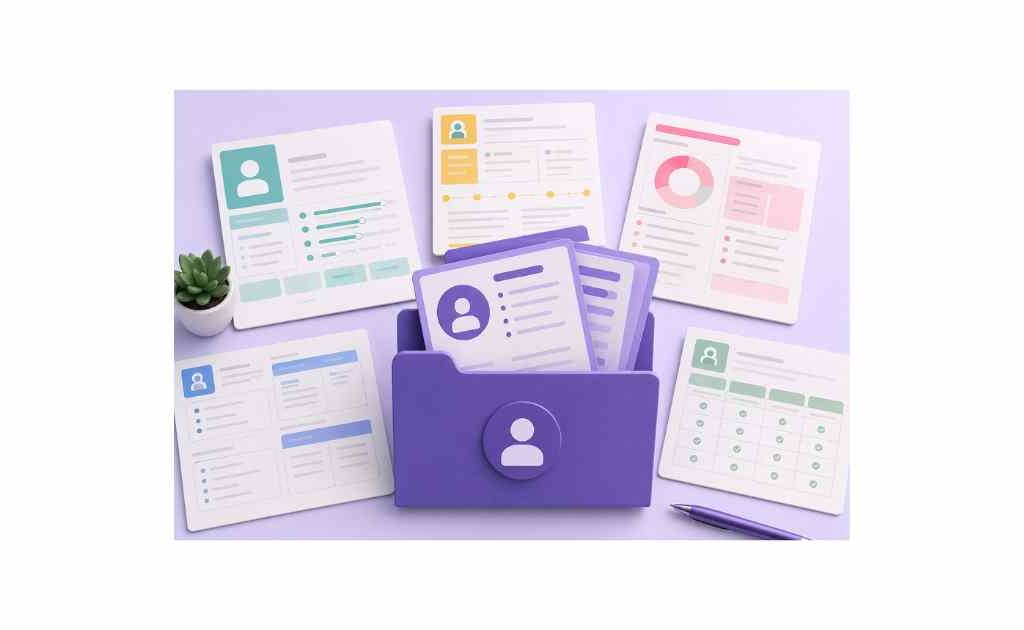
Accelerate your persona research with our comprehensive template kit, including everything you need to execute the 7-step framework efficiently.
What’s Inside the Template Kit
1. Proto-Persona Canvas
A one-page worksheet for documenting initial hypotheses before research begins. Includes sections for demographics, goals, frustrations, behaviors, and research questions.
2. Interview Script Template
A semi-structured interview guide with timing, essential questions, and probing prompts. Customizable for your specific product and audience.
3. Participant Screener Survey
A 7-question screener to verify participants meet your criteria before scheduling interviews. Includes screening logic and disqualification criteria.
4. Affinity Mapping Board (Miro/FigJam)
A pre-built digital whiteboard with instructions, color-coding system, and cluster templates. Ready for immediate use with your research data.
5. One-Page Persona Template
A visually designed persona template balancing completeness with conciseness. Includes all essential components plus guidance on what to include and exclude.
6. Validation Interview Guide
A brief script for testing draft personas with real users. Includes questions to confirm accuracy and identify gaps.
7. Persona Integration Checklist
A tactical checklist for embedding personas into product, design, marketing, and sales workflows. Ensures personas drive decisions rather than sitting unused.
[Download the complete Persona Research Template Kit here] (Link to gated download for lead generation)
Advanced Example: From Raw Data to Persona
To illustrate the complete process, let’s walk through a hypothetical example showing how raw research data transforms into a finished persona.
The Scenario
A B2B SaaS company sells project management software. They want to understand their mid-market segment (50-500 employees) to improve product-market fit and marketing messaging.
Step 1: Proto-Persona Hypothesis
Based on internal assumptions, the team hypothesizes:
- Name: Mid-Market Mike
- Role: Operations Manager
- Goal: Streamline cross-functional projects
- Frustration: Current tools are too complex for his team
- Behavior: Uses spreadsheets and email for project tracking
Step 2-3: Research Execution
The team conducts 12 interviews with operations managers at mid-market companies and surveys 150 similar professionals.
Step 4: Synthesis Insights
Affinity mapping reveals surprising patterns:
Cluster 1: Visibility Without Micromanagement
- Quote: “I need to know if projects are on track without hovering over my team constantly.”
- Quote: “My CEO wants status updates, but I don’t want to bug my team for progress reports.”
- Survey: 78% of respondents cite “lack of visibility” as a top frustration.
Cluster 2: Tool Adoption Resistance
- Quote: “I tried Asana, but my team went back to spreadsheets within a week.”
- Quote: “Every new tool means training sessions nobody attends and complaints for months.”
- Survey: 65% say their team resists new software.
Cluster 3: Executive Reporting Pressure
- Quote: “My boss wants dashboards showing ROI, but I’m just trying to keep projects from falling apart.”
- Quote: “I spend hours manually compiling data for leadership reports.”
- Survey: 71% spend 5+ hours weekly on status reporting.
Unexpected insight: The proto-persona assumed Mike’s primary frustration was tool complexity. Research reveals his deeper pain is balancing team autonomy with executive visibility—he needs transparency without becoming a micromanager.
Step 5: Refined Persona
Name: Visibility-Seeking Victor (renamed based on core motivation)
Role: Operations Manager at 150-person tech company
Goals:
- Maintain real-time visibility into project status without constant check-ins
- Generate executive-ready reports in minutes, not hours
- Adopt tools his team will actually use without resistance
Frustrations:
- Current tools require manual data compilation for leadership reports (5+ hours/week)
- Team abandons complex software, reverting to spreadsheets
- Feels caught between CEO’s demand for transparency and team’s desire for autonomy
Behaviors:
- Uses Google Sheets for project tracking despite knowing better tools exist
- Sends weekly email updates compiled manually from multiple sources
- Attends 3-4 status meetings weekly to gather information for reports
Quote:
“I need to show my CEO we’re on track without becoming the person who constantly asks ‘is this done yet?’ My team hates that, and honestly, so do I.”
Decision criteria:
- Must integrate with existing tools (Slack, Google Workspace)
- Requires minimal training for team adoption
- Needs automated reporting for executive updates
Step 6-7: Validation and Integration
The team validates Victor with 4 additional operations managers—all confirm the description resonates. They integrate Victor into workflows:
- Product: Prioritizes automated reporting features and Slack integration
- Marketing: Creates landing page headline: “Project Visibility Without the Micromanagement”
- Sales: Trains reps to ask “How much time do you spend compiling status reports?” during discovery calls
This example demonstrates how research transforms assumptions into evidence-based personas that drive specific, measurable actions.
Common Persona Research Mistakes (And How to Avoid Them)
Even well-intentioned persona efforts fail when teams fall into predictable traps. Recognizing these mistakes accelerates your path to effective personas.
Mistake 1: The Frankenstein Persona
The problem: Combining attributes from too many users into a single persona that represents no one. Frankenstein personas emerge when teams try to capture everyone in one profile or average across diverse segments.
Why it fails: A persona describing “marketing managers aged 25-55 at companies from 10-10,000 employees who want to save time and increase revenue” is too broad to guide decisions. Every product choice becomes justifiable because the persona is meaningless.
The fix: Limit each persona to a coherent segment with shared goals and frustrations. If you find yourself adding contradictory attributes (“sometimes uses enterprise tools, sometimes prefers simplicity”), you’re merging distinct segments. Split them into separate personas.
Aim for 3-5 primary personas representing your core audience [[15]]. More than that dilutes focus; fewer misses important segments.
Mistake 2: Demographics Over Psychographics
The problem: Building personas around age, gender, income, and location while neglecting goals, motivations, and behaviors.
Why it fails: Demographics don’t predict behavior. Two 35-year-old marketing managers at similar companies might have completely different needs—one prioritizes speed and simplicity, the other demands advanced features and customization. Demographic-focused personas lead to stereotyping rather than understanding.
The fix: Lead with psychographics (goals, frustrations, behaviors, decision criteria). Include demographics only when they correlate with meaningful behavioral differences. If age doesn’t influence how someone uses your product, don’t feature it prominently.
Ask: “Does this detail help us make better product, design, or marketing decisions?” If not, remove it.
Mistake 3: Assumption-Based Personas
The problem: Creating personas without research, relying entirely on internal beliefs about who users are and what they need.
Why it fails: Assumption-based personas reflect internal biases, not user reality. Teams build for imaginary users, wasting resources on features nobody wants and messaging that doesn’t resonate.
The fix: Always ground personas in research—interviews, surveys, analytics, behavioral data. Start with proto-personas as hypotheses, but validate them with real users before treating them as truth [[44]].
If budget or timeline constraints prevent comprehensive research, conduct lightweight validation: 5-8 interviews per persona is better than zero research [[15]].
Mistake 4: Personas That Die in PDFs
The problem: Creating beautiful persona documents that sit in a shared drive, never referenced after the launch presentation.
Why it fails: Unused personas generate zero value. They represent wasted research effort and missed opportunities to align teams around user needs.
The fix: Operationalize personas into daily workflows (see Step 7 above). Reference them in PRDs, design reviews, marketing briefs, and sales training. Make them visible—print them, add them to Slack channels, include them in onboarding.
Measure persona adoption: Are teams referencing personas in discussions? Do new hires learn about personas during onboarding? If not, your socialization strategy needs reinforcement.
Mistake 5: Set-and-Forget Personas
The problem: Treating personas as one-time deliverables rather than living documents that evolve with your understanding of users.
Why it fails: User needs change. Markets shift. Competitive landscapes evolve. Personas created two years ago might describe users who no longer exist or miss entirely new segments now driving revenue.
The fix: Establish a maintenance cadence—quarterly reviews, semi-annual validation, annual refresh if needed [[31]]. Monitor signals (churn spikes, sales feedback, support trends) that indicate personas need updating.
Assign persona ownership: Designate a team member responsible for keeping personas current. This accountability prevents drift.
Mistake 6: Ignoring Negative Personas
The problem: Focusing exclusively on ideal customers while neglecting to define who you’re not serving.
Why it fails: Without negative personas, teams waste resources pursuing poor-fit leads, building features for edge cases, and crafting messaging that attracts wrong-fit customers who churn quickly.
The fix: Create 1-2 negative personas describing poor-fit segments. Example: “Discount-Seeking Dave cares only about price, will churn if you raise rates, and demands custom features outside your roadmap.” Use negative personas to guide sales qualification, product scope, and marketing targeting.
Best Tools for Persona Research in 2026
The right tools streamline research, synthesis, and documentation. You don’t need every tool on this list—build a toolkit covering data collection, analysis, and collaboration based on your team’s needs and budget.
Recruitment and Participant Management
UserInterviews
- Access to 4+ million pre-screened participants across industries
- Built-in screening, scheduling, and incentive distribution
- Best for: B2B and consumer research requiring specific criteria [[12]]
Prolific
- Academic-grade participant pool with attention checks
- Transparent pricing, fast turnaround
- Best for: Survey research requiring high-quality respondents
Respondent
- Specializes in hard-to-reach B2B and niche audiences
- Higher cost per participant but exceptional quality
- Best for: Enterprise, technical, or specialized professional personas
Interview and Data Collection
Zoom / Google Meet
- Reliable video conferencing with recording capabilities
- Universal familiarity reduces participant friction
- Best for: Remote interviews and contextual inquiry
Otter.ai
- AI-powered transcription with speaker identification
- Searchable transcripts, highlight reels, summary generation
- Best for: Efficient interview documentation and synthesis [[34]]
Dovetail
- Purpose-built user research repository
- Auto-transcription, AI tagging, clip creation
- Best for: Teams conducting ongoing research needing centralized insights [[34]]
Surveys and Quantitative Research
Typeform
- Conversational survey interface boosting completion rates
- Logic jumps, integrations with CRM and analytics tools
- Best for: Customer-facing surveys requiring high engagement
SurveyMonkey
- Robust analytics, benchmarking data, panel access
- Enterprise features for complex research programs
- Best for: Large-scale quantitative validation
Google Forms
- Free, simple, integrates with Google Sheets
- Limited analytics but sufficient for basic surveys
- Best for: Budget-constrained teams or internal research
Analytics and Behavioral Data
Amplitude
- Product analytics with behavioral cohorts and segmentation
- Pathfinder analysis reveals user journeys
- Best for: Understanding in-product behavior across segments [[15]]
Mixpanel
- Event tracking, funnel analysis, retention reports
- Real-time data, accessible interface
- Best for: Tracking specific user actions and conversions
Hotjar
- Heatmaps, session recordings, feedback polls
- Visualizes how users interact with interfaces
- Best for: Identifying usability issues and behavioral patterns
Google Analytics 4
- Free, comprehensive web and app analytics
- Audience segmentation, conversion tracking
- Best for: Marketing-focused behavioral insights
Synthesis and Affinity Mapping
Miro
- Infinite digital whiteboard with sticky notes, templates, voting
- Real-time collaboration, AI-assisted clustering
- Best for: Remote affinity mapping workshops [[34]]
FigJam
- Integrated with Figma design workflow
- Simple interface, stamps, timers for facilitation
- Best for: Design teams already using Figma
Mural
- Enterprise-focused with advanced facilitation features
- Templates for common workshops, private rooms
- Best for: Large organizations needing security and governance
Documentation and Collaboration
Notion
- Flexible databases, wikis, and documentation
- Embed personas alongside PRDs, research notes, and roadmaps
- Best for: Centralized knowledge management [[15]]
Confluence
- Enterprise wiki with Jira integration
- Structured documentation, version control
- Best for: Large teams needing formal documentation workflows
Coda
- Doc-spreadsheet hybrid with automation
- Build interactive persona databases with filters and views
- Best for: Teams wanting dynamic, filterable persona repositories
AI-Powered Research Tools
Dovetail AI
- Auto-tags research data, detects themes, generates summaries
- Integrates with existing research workflows
- Best for: Accelerating synthesis of large qualitative datasets [[34]]
Marvin
- AI research assistant for interview analysis
- Clusters insights, surfaces patterns, drafts summaries
- Best for: Teams conducting high volumes of interviews
Synthetic persona tools (Minds, Stravito)
- Generate AI personas for scenario testing and hypothesis validation
- Simulate how different user types might respond to features or messaging
- Best for: Rapid prototyping before investing in full research [[29]][[30]]
Important caveat: Use AI tools to augment, not replace, human insight. Never generate final personas purely from AI—synthetic profiles lack the nuance and authenticity of research-backed personas [[27]].
Frequently Asked Questions About Persona Research
How many personas do I need?
Most teams benefit from 3-5 primary personas representing their core audience segments [[15]]. Fewer than 3 risks oversimplifying a diverse user base; more than 5 dilutes focus and makes it impossible to serve any segment well.
Start with 3 personas covering your most important segments. Add more only if research reveals distinct groups with fundamentally different needs that can’t be consolidated.
Remember: personas represent patterns, not individuals. If two potential personas share 80% of their goals and frustrations, merge them into one profile with noted variations.
How long does persona research take?
Timeline depends on scope, participant availability, and team resources:
- Lightweight validation (5-8 interviews per persona): 2-3 weeks
- Standard research (10-15 interviews + surveys per persona): 4-6 weeks
- Comprehensive study (20-30 interviews + surveys + analytics per persona): 6-8 weeks
Factor in additional time for recruitment (1-2 weeks), synthesis (1 week), and validation/socialization (1 week).
For ongoing maintenance, plan for 2-3 days quarterly for reviews and 1-2 weeks semi-annually for validation research.
Can I use AI to generate personas instead of doing research?
AI tools can draft personas based on existing data or generate synthetic personas for scenario testing, but they shouldn’t replace research with real users [[27]].
AI-generated personas lack the nuance, authenticity, and unexpected insights that emerge from human conversations. They risk perpetuating biases present in training data and missing the contextual details that make personas actionable.
Use AI responsibly:
- ✅ Transcribe interviews and cluster themes
- ✅ Draft initial persona profiles based on synthesized research
- ✅ Generate synthetic personas for rapid hypothesis testing
- ❌ Create final personas without validating against real user data
- ❌ Replace interviews and surveys with AI prompts
The most effective approach combines AI efficiency with human insight—let AI handle data processing while researchers interpret findings and make judgment calls [[35]].
What’s the difference between buyer personas and user personas?
Buyer personas focus on the person who makes purchasing decisions—their budget authority, evaluation criteria, information sources, and objections. They guide sales and marketing strategy.
User personas focus on the person who actually uses the product—their workflows, goals, frustrations, and behaviors. They guide product and design decisions.
In B2C contexts, buyer and user are often the same person. In B2B, they frequently differ: a VP of Engineering (buyer) approves purchase, while developers (users) interact with the tool daily. Both personas matter—ignore either and you’ll struggle to close deals or retain customers.
Some teams create combined personas capturing both buying and using behaviors. This works when the same person influences purchase and uses the product. When roles differ significantly, maintain separate buyer and user personas.
How do I get stakeholders to buy into persona research?
Stakeholder skepticism usually stems from past experiences with useless personas or misunderstanding of research value. Address concerns proactively:
Show the cost of assumptions: Document recent decisions based on guesses that failed—features nobody used, messaging that didn’t convert, campaigns targeting wrong audiences. Quantify the waste.
Start small: Propose a lightweight study (5-8 interviews) to validate one assumption. Demonstrate how research changes understanding. Success builds support for larger investments.
Involve stakeholders early: Invite skeptical stakeholders to observe interviews. Hearing users describe frustrations firsthand is more persuasive than any presentation.
Tie to business metrics: Frame persona research as a way to reduce churn, increase conversion, or accelerate product decisions—not as an academic exercise. Connect insights to revenue, retention, or efficiency gains.
Make personas actionable: Deliver concise, one-page personas integrated into workflows. Show how personas inform specific decisions. Unused personas fuel skepticism; referenced personas build credibility.
When should I update my personas?
Update personas when signals indicate they no longer reflect reality:
- Churn or retention shifts: Unexpected changes suggest user needs evolved
- Sales feedback: Prospects don’t match persona descriptions
- Support trends: New pain points emerge not captured in personas
- Product expansion: New features attract different user segments
- Market changes: Competitive shifts or economic factors alter user priorities
Establish a regular cadence: quarterly reviews against recent data, semi-annual validation interviews, annual comprehensive refresh if warranted [[31]].
Personas are living documents. Treat them like product roadmaps—continuously refined based on new information.
Can I create personas for internal tools or employee experience?
Absolutely. Internal personas (sometimes called “employee personas” or “user personas for internal tools”) apply the same research principles to understand colleagues who use internal systems.
Conduct interviews with employees across departments, roles, and tenure levels. Synthesize findings into personas capturing their goals (e.g., “submit expense reports quickly”), frustrations (e.g., “current system requires manual data entry”), and behaviors (e.g., “delays submissions until month-end”).
Internal personas guide HR tech, IT systems, workplace design, and process improvements. They ensure internal tools serve actual employee needs rather than leadership assumptions.
How do I measure the success of persona research?
Track both adoption and impact metrics:
Adoption metrics:
- Are personas referenced in PRDs, design docs, and marketing briefs?
- Do teams mention personas in meetings and discussions?
- Are personas included in onboarding materials?
- How often are persona documents accessed?
Impact metrics:
- Product: Feature adoption rates for persona-aligned features vs. non-aligned
- Marketing: Conversion rates for persona-targeted campaigns vs. generic messaging
- Sales: Win rates when deals align with persona profiles vs. poor-fit leads
- Efficiency: Time saved in decision-making (fewer debate cycles, faster approvals)
Survey teams quarterly: “Do personas help you make better decisions? What’s one example?” Qualitative feedback reveals value quantitative metrics miss.
Conclusion: From Assumptions to Evidence-Based Personas
Persona research transforms product development from guesswork into evidence-based strategy. When conducted rigorously—combining qualitative depth with quantitative validation, synthesizing data through affinity mapping, and operationalizing insights into daily workflows—personas become powerful tools that align teams, accelerate decisions, and ensure you’re building for real users with real needs.
The framework outlined in this guide moves beyond theory to actionable practice. Start with proto-personas to focus your research. Recruit participants who represent your target segments. Execute interviews and surveys systematically. Synthesize findings using affinity mapping to surface patterns. Draft concise, one-page personas grounded in data. Validate with stakeholders and real users. Finally, embed personas into product, design, marketing, and sales workflows so they drive decisions rather than collecting digital dust.
Remember: personas are living documents, not static artifacts. Establish maintenance rituals—quarterly reviews, semi-annual validation, annual refresh—to ensure personas evolve alongside your understanding of users.
The cost of skipping persona research is measured in wasted development cycles, misaligned marketing campaigns, and products that miss the mark for the people who matter most. The investment in rigorous persona research pays dividends through faster decision-making, higher feature adoption, and solutions that genuinely serve user needs.
Stop building for assumptions. Start building for evidence. Download the Persona Research Template Kit and begin your research today.
Ready to conduct persona research that drives results? [Download the free Persona Research Template Kit] and get instant access to interview scripts, affinity mapping boards, persona canvases, and integration checklists—everything you need to execute the 7-step framework efficiently.